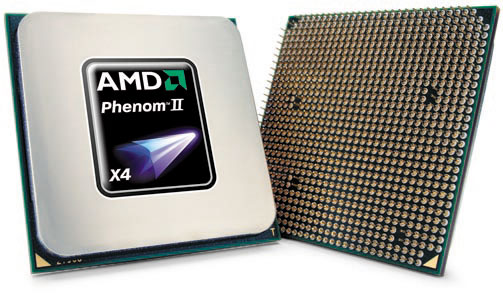
 So I am starting with POWER! yeah I just did that. What makes a computer "powerful'? If you break down a computer simply put it is just a machine that is doing a lot of math very as quickly as it can. Right I probably want something along the lines of having Albert Einstein or the very least his brain at my side. (If you are wondering why I say that a computer is just a machine doing a bunch of math you need to know that computer programs are essentially a bunch of "0's" and "1's" in sequence and the computer uses math to translate them into what we understand as programs.) So going back to the helpful website we looked at for a list of basic parts if we can look at the processor since it is defined as the brain of the computer system. Okay so I want a powerful processor. This is where you will see computers defined as having an "Intel® Core™ i7" etc... There are two dominant brands that manufacture processors, Intel and AMD, these are not the only ones (IBM, Motorola, etc...) but they are the two I will be focusing on. The more popular is Intel; however AMD (Advanced Micro Devices) is gaining popularity as its processors become more powerful and more reliable. Defining the speed of a processor gets fairly complex (I found a great guide if you really want to know here: Central Processing Unit) and goes back to focusing on what you want to use your PC for so I will not go into it here. Processors are most often marketed by their operating frequency measured in GHz (gigahertz) and the usually the higher the better, but not always. AMD generally tends to be more affordable then Intel since they are somewhat of the underdog with Intel's processors out performing AMD's (not by much) in stress test's, therefore I decided to go with an AMD processor. Specifically: AMD Phenom II X4 960T Black Edition this should prove to be a powerful (3GHz) processor that is also reliable and should upgrade easily. With a price tag of just over $100 this is a great way to start building. The Black Edition, means that the cores are unlocked allowing you to tweak the setting to squeeze more juice out of your system by "overclocking" it, I may go over what overclocking is but probably not how to do it since it get very complex and can severely damage your computer. The X4 notes that it has 4 cores that don't exactly translate into more power, but a processor that has 4 cores can run smother that a processor that has 2 cores. Its part of the Phenom series and the 960T is the series number with the model and showing that it has turbo core possible. (Technical specifications that are not relevant if you just want to know what processor I am using)
Now with a processor selected we can move on to researching our next piece of hardware, the backbone of the PC the motherboard.

No comments:
Post a Comment